
Minecraft Mods vs Marketplace Add-Ons: What's the Difference?
If you've searched for "Minecraft mods" on Bedrock Edition, you've probably hit a wall of confusion. Java players have Forge, Fabric, and thousands of free mods. Bedrock players have the Minecraft Marketplace, add-ons, behavior packs, resource packs, and mashups — all slightly different things with overlapping names. The terminology alone is enough to make someone close the browser tab.
Here's what actually matters: Bedrock Edition doesn't support traditional mods. What it does have is a curated ecosystem of 36,386 Marketplace items — including 774 behavior packs that change gameplay, 1,242 resource packs that change visuals, and 83 mashups that bundle everything together. There are also free add-ons from third-party sites. This guide breaks down what each thing actually is, shows you the best examples from real Marketplace data, and gives you honest guidance on where to get content safely.
Mods, Add-Ons, Texture Packs, Shaders — What's What?
These terms get thrown around interchangeably, which causes endless confusion. Let's fix that.
Mods (Java Edition only): Code modifications that alter Minecraft's Java source code. They can add entirely new mechanics, dimensions, creatures, and systems. Mods require a mod loader like Forge or Fabric and only work on Java Edition. If someone says "just install this mod" and you're on Bedrock, they're talking about a different game.
Add-ons (Bedrock Edition): Bedrock's official alternative to mods. Add-ons use JSON-based behavior packs and resource packs to modify game behavior and appearance. They're more limited than Java mods — you can't rewrite the game engine — but they're officially supported by Mojang, which means they don't break with every update (usually).
Resource packs / Texture packs: These change how Minecraft looks without changing gameplay. New block textures, item sprites, UI elements, sounds, and particle effects. The term "texture pack" is legacy (from before Minecraft 1.6), but people still use it. On the Marketplace, these are listed as resource packs.
Shaders: A subset of resource packs that change lighting, shadows, water rendering, and atmospheric effects. On Java Edition, shaders like SEUS and BSL are transformative. On Bedrock, shader support is more limited — the Render Dragon engine restricts what's possible, and official Marketplace shaders tend to be subtler than their Java counterparts.
Mashups: Marketplace bundles that combine a world template, resource pack, and skin pack into a themed package. Think of them as the "deluxe edition" — you get a custom world, matching textures, and themed skins all at once.
Behavior packs: The gameplay-changing half of an add-on. Behavior packs modify entity AI, crafting recipes, loot tables, spawn rules, and game mechanics using JSON and Minecraft's scripting API. This is the closest thing Bedrock has to mods.
Best Marketplace Add-Ons (Behavior Packs)
Behavior packs are where things get interesting. These aren't just cosmetic — they change how the game plays. New mobs, custom crafting systems, survival mechanics, and scripted events. The Marketplace has 774 behavior packs, and the best ones genuinely feel like a different game. Browse them on MinecraftPal.
One thing to know: Marketplace behavior packs are tested against Minecraft's current version before being approved. That quality gatekeeping means fewer options than the free mod ecosystem on Java, but also fewer broken downloads. You're trading quantity for reliability.
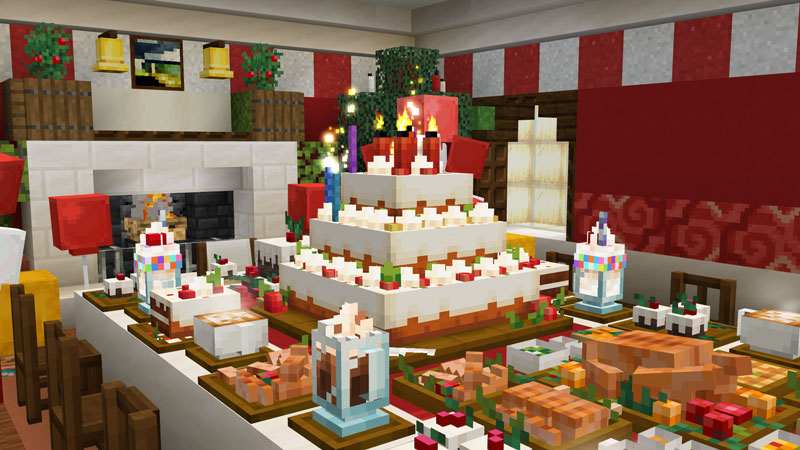
Celebration Food Add-On
by Overtales Studio · 4.9/5 (2,202 ratings) · 660 Minecoins
Are you throwing a party for friends or celebrating something special? This Add-On pack is for you! Let's create something memorable with a selection of foods, desserts, drinks, and much more. Thi...
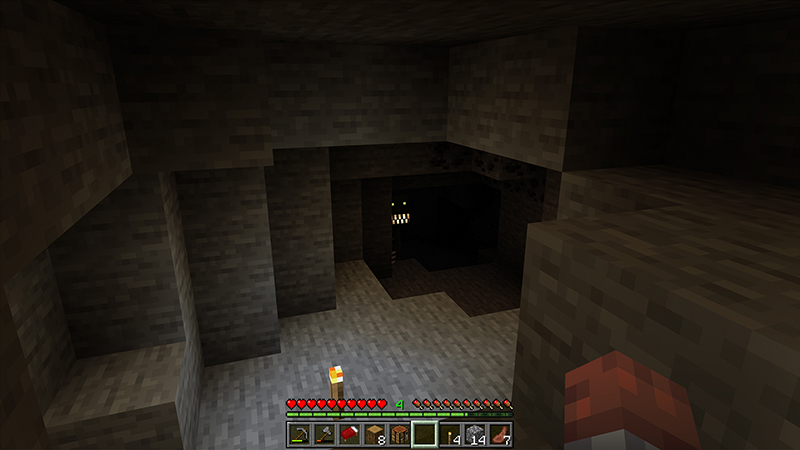
CAVE DWELLER Add-On (Official)
by XP GAMES · 4.8/5 (34,456 ratings) · 660 Minecoins
The Cave Dweller is the scariest and most complex entity ever created! - Advanced AI, capable of learning and adapting to the player - Multiple behavior stages (stalking, standoff, engage) - C...
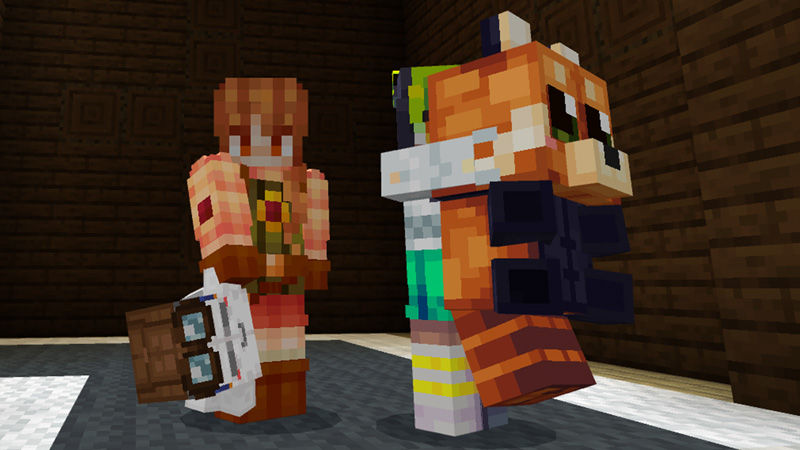
Plushies 2.0.1
by Scai Quest · 4.8/5 (3,563 ratings) · 490 Minecoins
Decorate your world with vanilla mobs turned into cute, craftable, loveable and squeezable Plushies! + 92 mob plushies + 201 total plushie variations + multitool (Remove/ Rotate/ Nudge / Pick-...

Mowzie’s Mobs Add-On 1.1
by Honeyfrost · 4.8/5 (17,616 ratings) · 1,690 Minecoins
Mowzie’s Mobs adds a variety of fictional creatures to Minecraft, priding itself in unique AI, rich atmosphere, and fluid animations. Prove your might against new bosses and enemies and claim their...
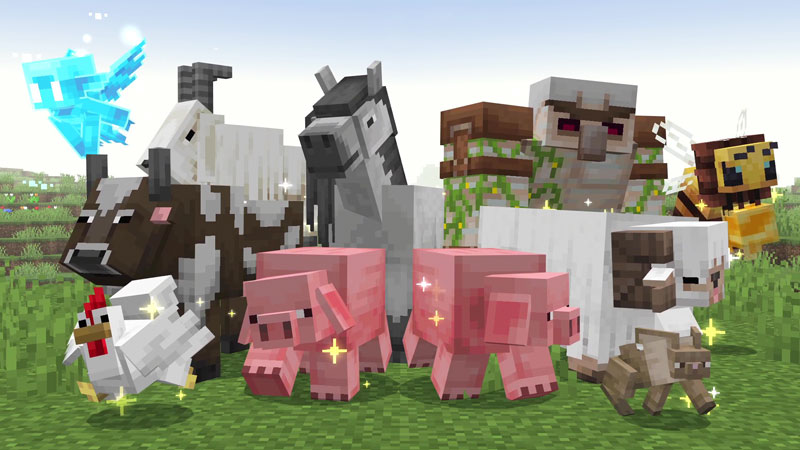
Over Mob Add-On
by Overtales Studio · 4.8/5 (1,627 ratings) · 1,340 Minecoins
Over Mob Add-On brings thrilling new bosses and mobs, along with powerful gear. Explore, discover, and engage with these creatures as you venture into a new world! + 80+ new mobs (Prime, Elite, Tr...
Best Resource Packs & Texture Packs
Resource packs are the most straightforward category: they change how Minecraft looks. New block textures, updated item sprites, custom sounds, revised UI. The Marketplace has 1,242 resource packs ranging from subtle improvements to complete visual overhauls.
The tradeoff with resource packs is always the same: the more dramatic the visual change, the more likely it is to affect performance on mobile and older consoles. High-resolution packs look great on PC but can tank frame rates on a phone. Check the reviews for platform-specific feedback before buying — a gorgeous pack that runs at 15 FPS on your device isn't worth it.
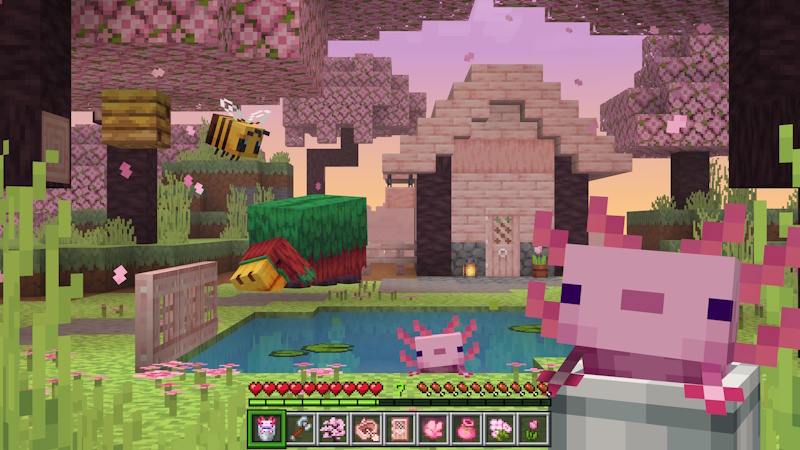
Actions & Stuff 1.9.1
by Oreville Studios · 4.9/5 (119,310 ratings) · 1,690 Minecoins
The Animation Pack You Didn't Know You Needed: Bring your world to life with new animations, particles, textures, and more! - Player Animations (1st & 3rd Person) - New & Improved Mob Animation...
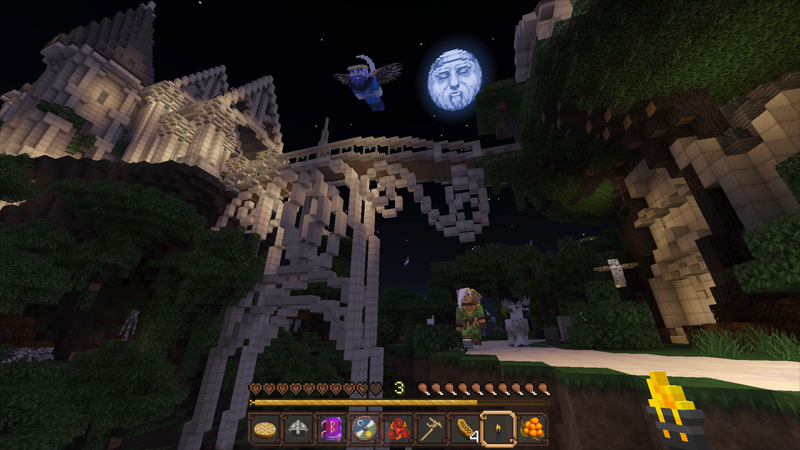
Norse Mythology Mash-Up
by Minecraft · 4.8/5 (24,377 ratings) · 990 Minecoins
Are you heroic enough to enter the Great Hall, Valhalla? Find out in the Norse Mythology Mash-up! Compose your own grand saga as you voyage through the 9 realms, from the treetops of Yggdrasil, dow...
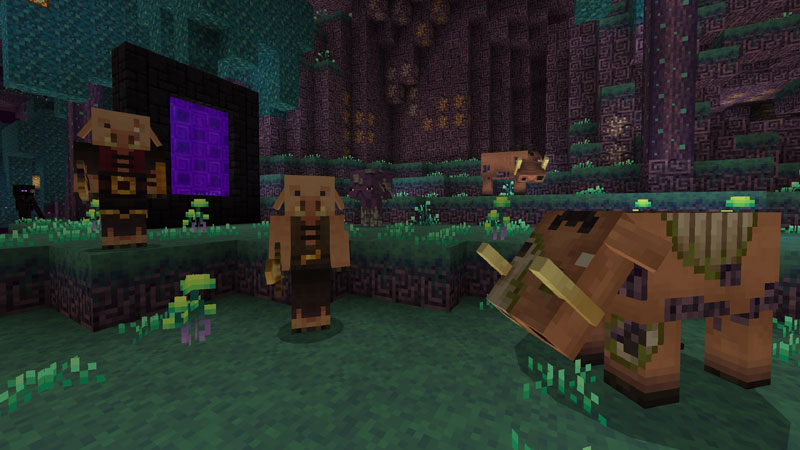
Mizuno Craft
by CubeCraft Games · 4.8/5 (10,390 ratings) · 830 Minecoins
Time to explore the huge open world in style. Equip this texture pack to unlock endless fun! • Fully custom textures for blocks, tools, mobs and more • Cute textured villagers • Awesomely craf...
Mashup Packs — The Full Package
Mashups bundle a world template, resource pack, and skin pack around a single theme. They're the most expensive category on the Marketplace (typically 1,340–1,510 Minecoins), but they're also the most complete experience. You get a custom world with matching textures and character skins that all fit together.
The mistake people make with mashups: buying them just for the skins. If you only want the character skins, check if there's a standalone skin pack from the same creator — it'll be cheaper. Mashups are worth it when you want the full themed experience.
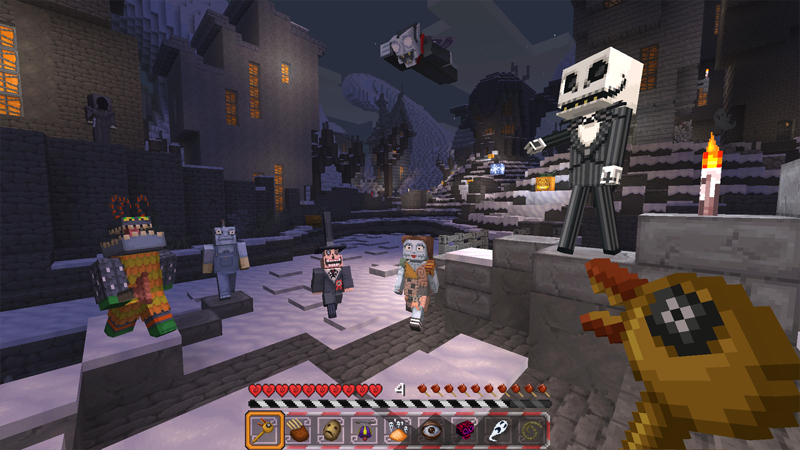
The Nightmare Before Christmas
by Minecraft · 4.7/5 (21,557 ratings) · 990 Minecoins
A nightmare? Before Christmas? With thousands of blocks over there And more redstone than I can bear? Looks scary, but also fun! Could it be I got my wish? Should I play, or should I run? A C...
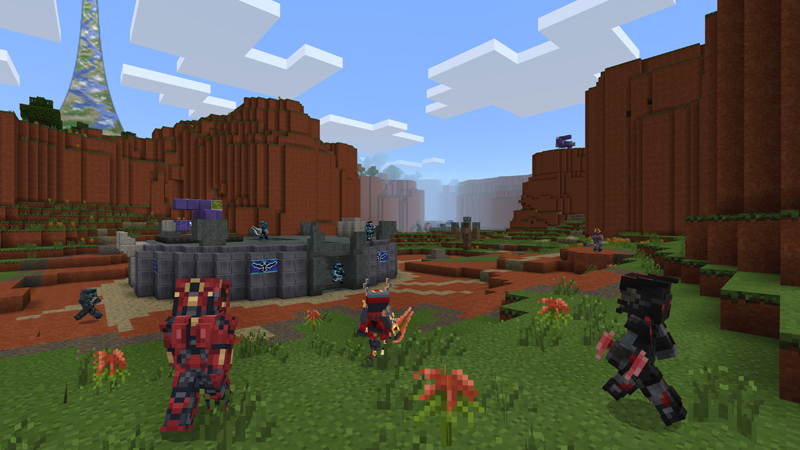
Master Chief Mash-up
by Minecraft · 4.7/5 (41,541 ratings) · 990 Minecoins
Welcome to the Minecraft Master Chief Mash-up, which includes 50+ Skins, bespoke Texture set, themed UI, original soundtrack and an amazing world filled with iconic locations to explore.
Curated Marketplace Content vs Free Add-Ons
This is the honest discussion most guides skip. The Minecraft Marketplace isn't the only source of add-ons for Bedrock. Sites like MCPEDL and CurseForge host thousands of free add-ons created by the community.
Here's the honest tradeoff:
Marketplace advantages:
- Curated and tested — every item goes through a review process before listing
- One-click installation — no file manager juggling required
- Version compatibility is maintained by creators as part of the partner agreement
- Tied to your Microsoft account — reinstall on any device
- Consistent quality floor (though not every pack is great)
Free add-on advantages:
- Free — obviously the biggest draw
- More experimental and niche content (the Marketplace favors broadly appealing packs)
- Faster iteration — creators can update instantly without review
- Some truly creative mods that push Bedrock's limits in ways the Marketplace doesn't incentivize
Free add-on risks:
- No quality guarantee — some are broken, outdated, or just bad
- Malware risk from sketchy download sites (stick to MCPEDL and CurseForge — avoid random "free Minecraft mods" sites)
- Installation requires manual file management, which varies by platform
- May break with Minecraft updates and never get fixed
The practical recommendation: use the Marketplace for polished experiences you'll play a lot, and free add-ons for experimenting with weird niche content. Both have a place.
How to Install Add-Ons on Every Platform
Installation is where Bedrock's cross-platform nature gets messy. The process is different depending on your device, and the official Mojang installation guide covers the basics. Here's the platform-by-platform reality.
Marketplace Content (All Platforms)
This is the easy case. Find a pack on the Marketplace (or browse on MinecraftPal), buy it, and it downloads directly into the game. No file management. It shows up in your world settings under Behavior Packs or Resource Packs. Done.
Free Add-Ons on Windows PC
Download the .mcaddon or .mcpack file. Double-click it — Minecraft should open and import it automatically. If it doesn't, manually move the file to %localappdata%\Packages\Microsoft.MinecraftUWP_8wekyb3d8bbwe\LocalState\games\com.mojang\ in either behavior_packs or resource_packs. Then activate it in your world settings.
Free Add-Ons on Android
Download the file and open it with Minecraft (use your file manager's "Open with" option). If that fails, use a file manager to move it to games/com.mojang/behavior_packs or resource_packs in your device storage.
Free Add-Ons on iOS
Download the file and use the iOS share sheet to open it with Minecraft. The Files app can also move .mcpack files to the Minecraft directory if the share sheet doesn't work. iOS makes this harder than Android because of sandboxing.
Free Add-Ons on Console (Xbox, PlayStation, Switch)
This is the hard truth: installing free add-ons on consoles is extremely limited. Xbox has some workarounds involving cloud storage, but PlayStation and Switch effectively restrict you to Marketplace content only. If you're on console and want add-ons, the Marketplace is your primary option.
For detailed technical guidance, the Microsoft Creator documentation is the most authoritative resource. The Bedrock Add-Ons FAQ on help.minecraft.net also covers common installation issues.
Bedrock vs Java: The Modding Ecosystem Comparison
Let's be straightforward: Java Edition has a vastly larger and more capable modding ecosystem. If your primary interest in Minecraft is modding — running modpacks, using shader chains, installing total conversion mods — Java Edition is the better choice. That's not even close.
What Bedrock has that Java doesn't:
- Official support. The add-on system is built by Mojang. It's not a hack or a reverse-engineered API — it's a documented, supported feature.
- Cross-platform consistency. A Marketplace add-on works on PC, Xbox, PlayStation, Switch, iOS, and Android. The same add-on, everywhere. Java mods only work on Java.
- Marketplace curation. The quality floor is higher because every item is reviewed. Java mod sites have more content but also more broken, abandoned, and malicious uploads.
- No mod loader required. You don't need to install Forge, Fabric, or figure out mod version compatibility. Add-ons just work (when they're from the Marketplace).
What Java has that Bedrock doesn't:
- Total conversion mods. Things like Create, Mekanism, or RLCraft that fundamentally redesign the game. Bedrock's scripting API can't touch this level of modification.
- Free community. The overwhelming majority of Java mods are free. Bedrock's best content costs Minecoins.
- Shader freedom. Java shaders like SEUS Renewed and Complementary are in a different league from what Bedrock's Render Dragon engine allows.
- Modpack ecosystems. Java has CurseForge, Modrinth, and ATLauncher with curated modpack experiences. Bedrock has nothing equivalent.
The bottom line: if you play Bedrock (because of cross-play, console access, or preference), the Marketplace and free add-on sites give you a solid library of content. If you play Java, the modding world is your oyster. Neither is wrong — they're different games with different strengths.
Where to Get Add-Ons Safely
This matters more than most guides acknowledge. "Free Minecraft mods" is one of the most targeted search terms for malware distribution. A significant number of sites advertising free Bedrock mods are actually distributing adware, data harvesters, or worse.
Safe sources:
- Minecraft Marketplace — official, curated, verified
- MCPEDL — the largest trusted free Bedrock add-on repository
- CurseForge Bedrock — established mod platform with Bedrock section
- Microsoft Creator Docs — official documentation for creating your own
Red flags to watch for:
- Sites requiring you to disable antivirus to install
- Downloads wrapped in multiple ad-link redirects
- Executable files (.exe) — legitimate Bedrock add-ons are
.mcaddon,.mcpack, or.zipfiles containing JSON - "Mod APK" downloads — these are modified game files and violate Minecraft's terms of service
- Sites that look identical to MCPEDL but have slightly different URLs
When in doubt, stick to the Marketplace. The Minecoins cost is the price of knowing you're not installing garbage on your device.
Making the Right Choice
The "mods vs add-ons" question really comes down to what you play on and what you want. Console and mobile players: the Marketplace is your best bet, supplemented by trusted free sources like MCPEDL for adventurous players on Android or PC. Java players: you have the entire modding universe available, and Bedrock's ecosystem isn't trying to compete with that.
For Bedrock players who want to explore what's available, browse the full catalog on MinecraftPal — you can filter by pack type to see just behavior packs, resource packs, or mashups. Check out our tag pages for specific content themes, and the creator directory to find more work from creators you enjoy.
If you're interested in the Marketplace ecosystem more broadly, our guide library covers everything from skins to seeds to the Marketplace Pass subscription.
Related Articles

How Much Do Minecoins Cost? A Guide to Prices and Real Value
Minecoins are the only currency the Minecraft Marketplace accepts — but how much do they actually cost in real money, and what do they buy? We break down bundle pricing, the dollar conversion, and what your coins are worth using real catalog data.
Jul 20, 2026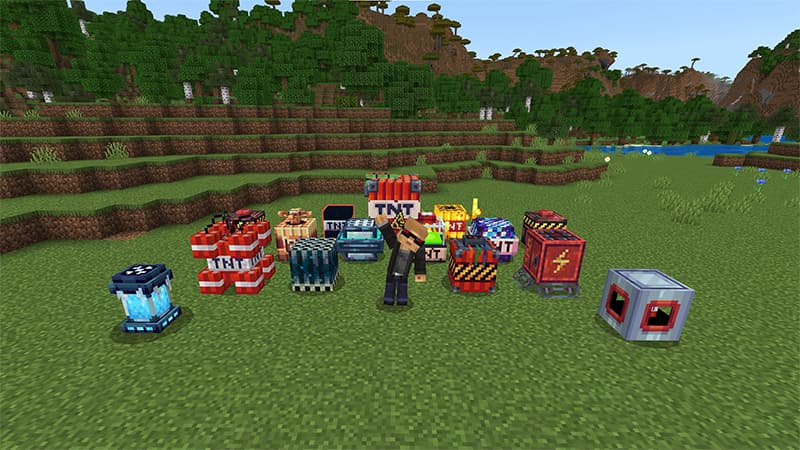
How to Tell if a Marketplace Pack Is Worth Buying
A practical framework for evaluating Minecraft Marketplace content before purchasing — using ratings, review counts, screenshots, videos, and price data from 41,000+ items to help you make smarter buying decisions.
Feb 26, 2026Signs a Marketplace Map Is Just a Reskin
How to spot low-effort reskins on the Minecraft Marketplace before buying. Data-driven red flags, creator patterns, and what genuinely original content looks like — with real examples from the catalog.
Feb 26, 2026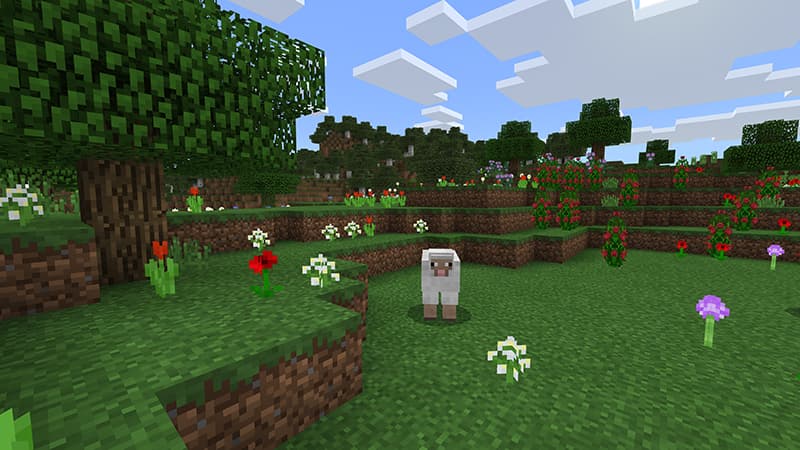
How Marketplace Ratings Actually Work
A real statistical analysis of the Minecraft Marketplace rating system — what the numbers mean, why review count matters more than star average, the cold-start problem for new items, and a leaderboard of the most-reviewed packs. Backed by data from 40,208 catalog items.
Feb 26, 2026